
TRADECLONE
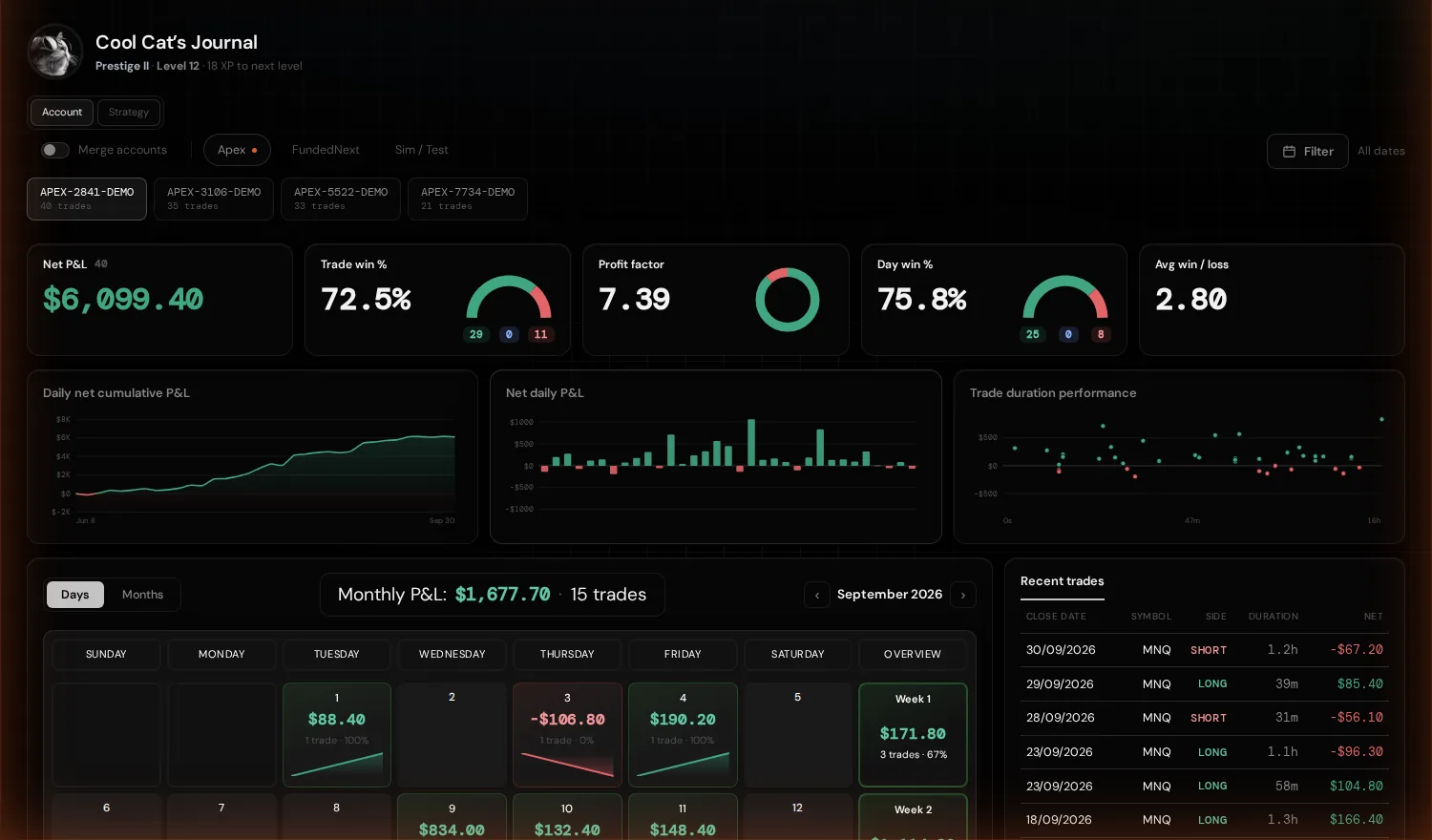
Trading journal
TradeClone Journal

Your trades, your notes and the numbers behind both.

Point it at the folder TradeClone exports to. The journal reads your trades from there and keeps your notes beside them, so a fresh export never writes over what you have already put down.

Chrome asks for edit access because the journal writes into that folder. Nothing leaves your computer and there is no account to set up.

Insights

AccountStrategy
Net P&L by hour of day
Bars right of the line are profitable hours.
Streaks
Every trade in order. Green = win, red = loss, grey = break-even.
How trades ended
Your exits, by what closed them.
Which exits leak
How much each kind of exit left behind after you were out.
When you trade
Net P&L by hour and weekday. Green cells are where you should trade more.
How far a trade goes against you
Grouped by the worst it got before you were out. Average result and win rate for each.
Powered by your journal entries - setup, mistakes and confidence from the trade popup.
Performance by strategy
Which of your strategies pay.
What mistakes cost
Total P&L on trades you tagged with each mistake.
Confidence vs outcome
Does how you felt before the trade predict how it went?
Walkthrough
Two ways through this
Load your own data to do it properly.
TradeClone Journal
Open this on a computer.
The journal puts a month, a trade map and its numbers on screen together, and that needs the room. There is no phone version, and a squeezed one would be worse than none.
Everything is in the folder you exported to, so it will be waiting when you get there.
Back to site